You open a website. It loads fast, looks clean, has a button you click and a form you fill in. Somewhere behind all that, your data gets saved and a confirmation email lands in your inbox. You never thought about any of it. But someone built every piece.
That is what is website development. The full process of creating something that lives on the internet and actually works, not just looks good.
If you are a business owner trying to understand what you are paying for, a student figuring out where to begin, or a freelancer deciding what to learn, this article covers the whole picture without the technical fog.
What Is Website Development, Really?
Website development is the process of building and maintaining websites and web applications. It covers everything from how a site looks to how it functions behind the scenes: the forms that submit, the accounts that log in, the databases that store your information, and the pages that load in under two seconds.
People mix up web development and web design all the time. Web design is about the visuals. The colors, the layout, the fonts. Web development is about making those visuals actually work inside a browser. A designer hands over a mockup. A developer brings it to life. Small projects often have one person doing both, but they are genuinely different skills.
The reason this distinction matters: when you hire someone for website work, you need to know which skill you are actually buying.
Frontend vs Backend: The Two Sides of Every Website
Every website has two sides. The part you see and the part you do not.
Frontend Development
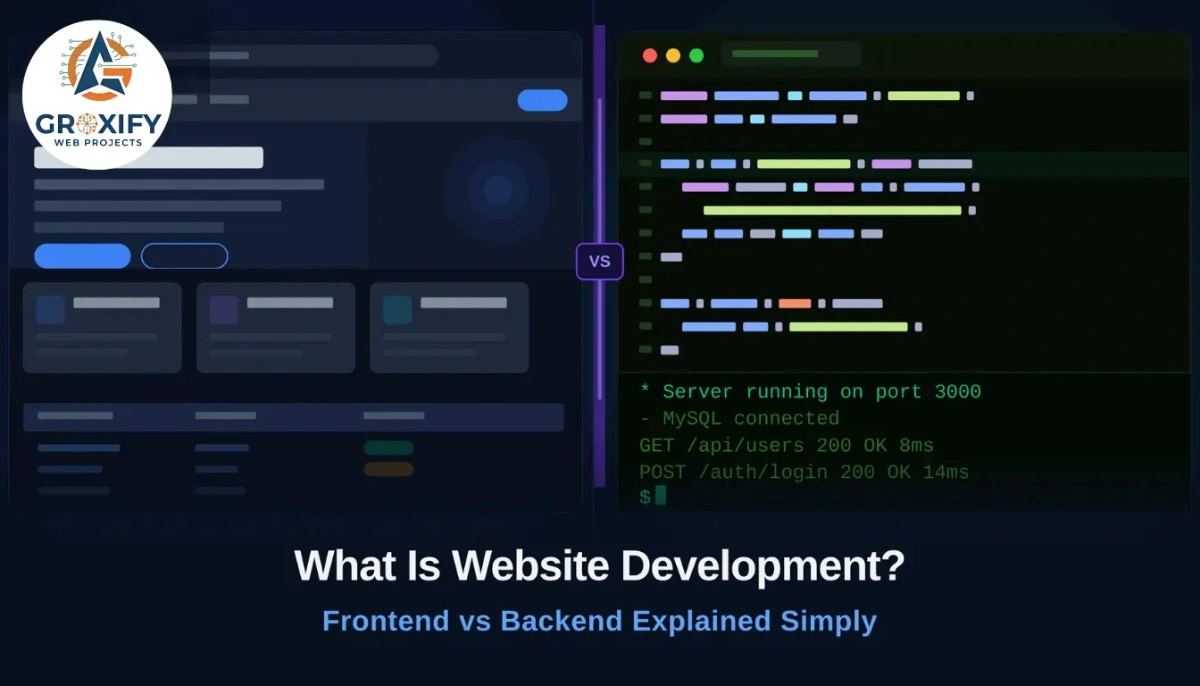
Frontend development, also called client-side development, is everything the user sees and interacts with directly. The text on the page, the button you click, the image that loads, the form you fill in, the animation that plays when you scroll. If you can see it or tap it, that is frontend.
Three tools power almost all frontend work:
- HTML (HyperText Markup Language): the structure. It tells the browser what content exists on the page and how it is organized.
- CSS (Cascading Style Sheets): the styling. It controls how that content looks, including colors, spacing, fonts, and layout.
- JavaScript: the behavior. It makes the page interactive. Dropdown menus, live search, image sliders, and pop-ups are all JavaScript doing its job.
Frontend developers also work with frameworks. A framework is a pre-built toolkit that speeds up development so you are not writing everything from scratch. React, Vue, and Angular are the most widely used ones currently.
The goal of all frontend work is simple: make things easy to use, fast to load, and clear on every screen size.
Backend Development
Backend development, also called server-side development, is everything that happens after you click a button. When you log in somewhere, the backend checks your credentials. When you place an order, the backend saves it, updates inventory, and fires a confirmation email. None of this is visible to you. But nothing works without it.
Backend developers work with:
- Server-side languages like Python, PHP, Node.js, Ruby, or Java. These handle the logic and rules of what should happen when.
- Databases like MySQL or MongoDB. A database is a structured system for storing and retrieving information. Think of it as the filing cabinet behind the website.
- APIs (Application Programming Interfaces): connections that let different systems talk to each other. When your contact form triggers an email through a third-party service, an API is doing that work.
A solid backend is what keeps a site fast under traffic, keeps user data secure, and makes the whole system hold together when something unexpected happens.
Full Stack: When One Developer Handles Both
A full stack developer works on both frontend and backend. The word “stack” refers to the complete set of technologies a website runs on. Full stack developers are a practical choice for smaller projects or early-stage businesses where budget is tight and one person needs to own the whole build. They are generalists. Not always deep specialists in either area, but they can get a working product shipped.
Types of Website Development
The kind of site you need depends entirely on what it has to do. There are four main categories worth knowing.
Static Websites
A static website shows the same content to every visitor, every time. No logins. No personalization. No database pulling things in dynamically. It is built with HTML and CSS and that is mostly it. Portfolios, simple landing pages, and basic informational sites are often static. They are fast to build, affordable to host, and straightforward to maintain.
Dynamic Websites
A dynamic website changes based on who is visiting or what they are doing. News sites, job boards, and social platforms are all dynamic. They pull content from a database and display it differently depending on the user or the context. This requires backend work to function.
E-commerce Websites
E-commerce sites handle product listings, shopping carts, payments, and order tracking. They sit between dynamic websites and full web applications because they need display logic plus transaction security. Building one properly is a real project. Payment processing alone involves connecting to services like Stripe or PayPal through their APIs, where a single misconfiguration can break the checkout.
Web Applications
A web application is a website that behaves more like software. Google Docs, Trello, online banking. Users log in, create things, save data, and come back to find it exactly where they left it. The line between a website and a web application blurs, but the rough rule is: if users are generating and managing their own data, you are in web application territory.
Website Development Tools You Should Know
You do not need to memorize these. But if you are hiring a developer or learning the field yourself, these names will come up constantly.
| Tool Category | Examples | What It Does |
|---|---|---|
| Code Editors | VS Code, Sublime Text | Where developers write and edit code |
| Version Control | Git, GitHub | Tracks changes and lets teams collaborate without overwriting each other |
| Frameworks | React, Laravel, Django | Pre-built structures that speed up development significantly |
| CMS Platforms | WordPress, Webflow | Build and manage websites without writing all code from scratch |
| Testing Tools | Chrome DevTools, Postman | Check that code and APIs are working correctly |
| Hosting Platforms | Netlify, AWS, Vercel | Where the finished website actually runs on the internet |
One category worth a closer look: the CMS, or Content Management System. WordPress alone powers a massive share of all websites currently live on the internet. It lets non-technical people manage content without touching code. For many business owners, a well-built WordPress site handles everything they need and more.
What Does Website Development Actually Cost?
Most articles skip this question entirely. Here is a straight answer.
Cost depends on three things: how complex the project is, who builds it, and which tools they use.
A basic static website built by a freelancer can range from a few hundred to a couple thousand dollars. A dynamic site with user accounts, custom features, and backend logic often falls between five and twenty thousand. A full web application built by an agency with a dedicated team goes well beyond that.
If you go with a CMS like WordPress and a pre-built theme, you can have a professional site live for a fraction of custom development cost. The tradeoff is flexibility. You work inside what the platform allows, not whatever you can imagine from scratch.
There is no single correct budget. But knowing the difference between a static page, a dynamic site, and an application-level build helps you understand why developer quotes vary so widely.
Should You Learn Website Development or Hire Someone?
Honest answer: it depends on what you need and what your time is actually worth.
If you are a business owner who needs a website up and running, hiring is usually the smarter call unless you have genuine time to invest in learning. Building even a basic site correctly takes months of real practice. That time is likely more valuable spent running the actual business.
If you are a student or someone considering a career change, website development is one of the more accessible technical paths to break into. Frontend development in particular has a low barrier to start. You can learn HTML, CSS, and basic JavaScript through free and paid resources and build real projects within a few months. After that, picking up a framework like React or a CMS like WordPress opens up freelance and job opportunities quickly.
Freelancers tend to start with frontend skills and expand from there as client work grows. At Groxify Web Projects, the freelancers who move fastest are consistently the ones who start building something real instead of just watching tutorials.
If you are a trainer, the most useful thing you can give learners is a clear mental map first. Separating frontend from backend, static from dynamic, design from development — that map is what makes everything else click.
Conclusion
Website development is not one thing. It is frontend and backend, static pages and full applications, design and logic all working together to make something real on the internet. The more clearly you understand each part, the better you will hire, learn, or teach it.
What is website development, stripped back to its core? It is the skill of turning an idea into something people can use on a screen. That is worth understanding no matter which side of it you are on.
FAQ
Website development is the process of building websites and web applications. It covers everything from the visuals a user sees to the logic that runs behind the scenes. Both sides working together is what makes a website load, function, and respond correctly to whoever is using it.
No. Web design focuses on how a website looks, including colors, layout, and typography. Website development is about making those visuals function inside a browser. Designers create the mockup. Developers build the working version. Small projects often have one person doing both, but they are genuinely different skill sets.
A developer writes code, builds features, fixes bugs, and tests that everything works correctly. On any given day they might build a contact form, connect a database, update a page layout, or debug a broken login. The specific work depends on whether they focus on frontend, backend, or both.
Getting to a basic, employable level of frontend development takes roughly 6 to 12 months of consistent practice. Backend development takes longer. The timeline shifts heavily based on how many hours per week you put in and whether you are building real projects alongside learning, which makes a significant difference.
Start with frontend. HTML, CSS, and JavaScript give you visible results fast, which keeps motivation high. You can build real things and show them to clients or employers. Once you have a solid frontend base, picking up backend concepts is easier because you already understand how the overall system connects.
A website mostly displays information. A web application lets users create and manage their own data. Online banking, project management tools, and email platforms are web applications. The rough rule: if users log in and their actions change what gets stored, it is closer to a web application than a website.
Yes. Building with WordPress is a legitimate form of website development, especially when it involves custom themes, plugins, or backend configuration. It is not the same as coding from scratch, but a professional who works seriously with WordPress is doing real development work. It is a valuable and in-demand skill.
If you need something professional and running quickly, hire a developer. If budget is tight and you have time, a CMS like WordPress lets you build a functional site without deep coding knowledge. For anything with custom features, dynamic content, or secure transactions, a developer is almost always worth the investment.
Begin with HTML and CSS. These are the foundation of every website and can be learned to a basic level within a few weeks. Then add JavaScript. Once comfortable with those three, you can choose a direction: frontend frameworks like React, backend languages like Python or Node.js, or a CMS like WordPress.
A simple static website from a freelancer typically costs a few hundred to a few thousand dollars. A dynamic site with features like user accounts or booking systems can range from five to fifteen thousand. Using WordPress with a pre-built theme keeps costs lowest, often requiring just a few hundred dollars in developer setup time.

Rohit Singh is the Founder of GROXIFY WEB PROJECTS LLP with many years of hands-on experience in digital marketing, including SEO, PPC, social media, email marketing, content writing, and WordPress development. He has worked with global clients across industries and helped businesses achieve 5x–10x revenue growth through data-driven strategies and practical execution. Rohit actively manages digital teams, builds business strategies, plans marketing systems, and oversees execution to drive consistent traffic, leads, and long-term business growth.