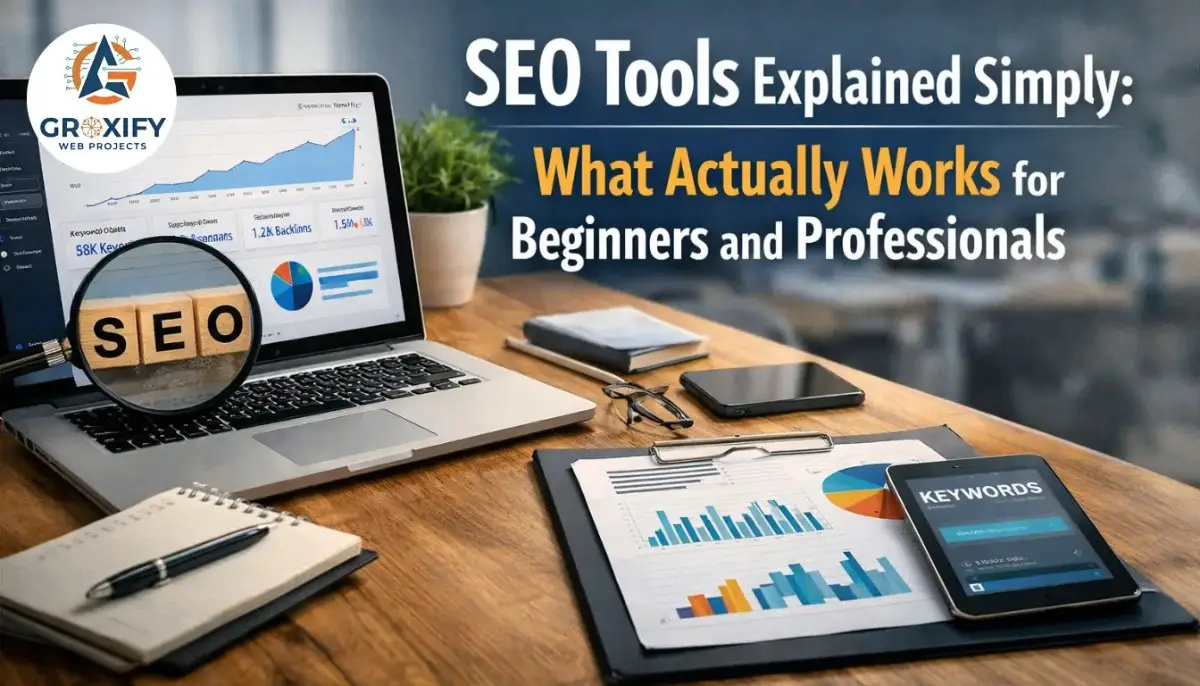
Why Choosing the Right SEO Tools Matters More Than Ever
Many founders and business owners I meet around Delhi, Noida, and Gurgaon tell me the same thing. They built a website. They posted content. Still no traffic. When we check properly, the real issue is simple. They are working without proper seo tools. They are guessing instead of measuring.
Table of Contents
In SEO is not only about keywords. Google now looks at user behaviour, page speed, helpful content, mobile experience and even AI Overview quality. Without a proper seo checker or regular seo audit, most problems stay hidden.
I remember a startup founder from Laxmi Nagar who came to us at Groxify Web Projects. His site looked good but rankings were stuck after 8 months. When we ran a proper audit using professional tools, we found:
• Pages not indexed
• Slow mobile speed
• Missing search intent match
• Weak internal linking
After fixing these with the right tools, traffic improved in about 10–12 weeks.
Today what changed is simple:
• Competition increased
• AI content increased
• Google became stricter
• Data matters more than assumptions
Right tools help you:
• Find what people actually search
• Detect technical issues early
• Track ranking improvements
• Save time and money
• Make confident decisions
Whether someone is a student learning SEO in Karol Bagh, a freelancer in Rohini, or a startup founder in Connaught Place, the difference between random effort and real growth usually comes down to one thing. Using the correct tools from day one.
Which SEO Tools Do Beginners and Professionals Actually Need
One confusion I often see when guiding students and business owners in Delhi NCR areas like Pitampura and Janakpuri is this. People think they need 20 tools to do SEO. In real projects we usually use only 5–7 core tools depending on the goal.
SEO tools are not about quantity. They are about covering key work areas like keywords, technical health, content and tracking. Most experts combine free Google tools with platforms like Ahrefs or Semrush and technical crawlers like Screaming Frog to manage different parts of SEO work.
From practical usage, this is how I normally explain it to beginners and professionals.
Basic SEO tools beginners should start with
If someone is learning or running a small business, these are enough:
• Google Search Console (performance tracking)
• Google Analytics (visitor behaviour)
• Google Keyword Planner (keyword ideas)
• Ubersuggest (basic keyword research)
• PageSpeed Insights (site speed check)
These tools help understand what is happening before spending money. Even today many free tools cover the basics well for early projects.
Tools professionals usually add
When projects grow, agencies and freelancers usually add:
• Ahrefs or Semrush (competitor and keyword research)
• Screaming Frog (technical seo audit)
• Surfer SEO (content optimisation)
• Rank tracking tools
These tools help with deep analysis like backlinks, content gaps and technical errors which free tools cannot fully show.
Simple way I suggest choosing tools
At Groxify Web Projects we usually suggest this simple approach:
| Goal | Tool type needed |
| Learning SEO | Free seo tools |
| Website problems | seo audit tools |
| Finding keywords | keyword research tools |
| Growing traffic | competitor analysis tools |
| Client work | all-in-one platforms |
Key Takeaways
• Beginners need clarity tools
• Professionals need data tools
• Businesses need decision tools
• Agencies need workflow tools
If you are just learning, start simple. If you are scaling, then advanced tools start making real difference.
Best SEO Tools I Personally Use for Real Client Projects
When someone asks me which seo tools I actually trust, my answer comes from daily work, not theory. At Groxify Web Projects, my team and I test many platforms but only a few become part of our regular workflow because reliability matters more than features.
For most client campaigns across Delhi business areas like Nehru Place, Okhla Industrial Area and Netaji Subhash Place, we normally depend on this practical stack:
| Tool Type | Tool Example | Why we actually use it |
| Technical SEO | Screaming Frog | Finds broken pages and crawl issues |
| Keyword research | Ahrefs | Real search demand and competition data |
| Content optimisation | Surfer SEO | Helps match search intent |
| Tracking | Google Search Console | Performance reality check |
| SEO checker | SEMrush | Competitor gap analysis |
| Free seo tools | Google tools | Reliable base data |
One ecommerce client from Rajouri Garden had traffic but poor conversions. After analysing with these tools we found keyword mismatch. Pages were ranking but not for buying intent terms. After content corrections, conversions improved in about 9 weeks.
What I learned after handling many projects:
• One tool never solves everything
• Data must match business goals
• Expensive tools do not guarantee results
• Correct interpretation matters more than reports
Key Takeaways
• Use tools that solve real problems
• Combine free and paid platforms
• Focus on insights not dashboards
• Process matters more than software
Tools help, but results usually come from how intelligently they are used.
Free vs Paid SEO Tools: What Really Works in Real Projects
This is one question I get almost every week from founders in Dwarka, Preet Vihar and even small shop owners in Chandni Chowk. Should they invest in paid tools or are seo tools for free enough?
The honest answer from real projects is simple. Free tools are enough to start. Paid tools become important when growth becomes serious.
Free tools like Google Search Console and Keyword Planner give real search data directly from Google which makes them strong foundation tools. But they lack deep competitor tracking and advanced analysis that paid platforms provide.
Where free SEO tools work well
We normally suggest free tools when:
• You are learning SEO
• Budget is limited
• Website is new
• Traffic is below 10K monthly
• Basic seo audit is enough
Where paid tools become necessary
Paid tools start helping when:
• Competition is high
• You need competitor backlinks
• Content gap analysis is needed
• Multiple projects are running
• Scaling SEO seriously
Platforms like Ahrefs and SEMrush are widely used because they combine keyword research, backlinks and technical audits in one place.
Practical comparison from real work
| Factor | Free SEO tools | Paid SEO tools |
| Cost | Free | ₹3000–₹25000 monthly approx |
| Keyword data | Basic | Deep competitive data |
| SEO checker | Limited | Full site analysis |
| Competitor tracking | No | Yes |
| Best for | Beginners | Agencies & businesses |
What usually works best
In most Groxify Web Projects campaigns we combine both:
• Free tools for base data
• Paid tools for strategy
• Manual analysis for decisions
Key Takeaways
• Start free
• Upgrade when ROI is clear
• Tools do not replace strategy
• Hybrid approach works best
If someone is just testing SEO, free is fine. If someone wants predictable growth, paid tools usually become part of the process.
Groxify Web Projects – How We Use SEO Tools in Real Campaigns
My name is Rohit Singh, founder of Groxify Web Projects LLP. I started this company after working on multiple SEO and digital marketing projects where I realised one big gap. Many businesses were spending money but working without clear data. That pushed me to build a small focused team that works on practical growth, not just reports.
Over the years I worked with startups, local Delhi businesses, ecommerce brands and service companies. Many came after trying random cheap search engine optimization tools or outdated tactics that did not work anymore. Our first step is always simple. Understand the business, then select the right tools, not the other way.
How we usually handle campaigns:
• Technical seo audit first
• Keyword opportunity mapping
• Competitor gap study
• Content correction plan
• Tracking improvements monthly
A healthcare client from South Delhi once told me after 4 months:
“Earlier agencies only sent reports. Here I could actually understand what was improving and why.”
That type of feedback matters more than rankings.
Our working belief is simple:
• Data should guide decisions
• Tools should simplify work
• SEO should stay practical
• Growth should be measurable
At Groxify Web Projects we treat tools like instruments, not magic solutions. Real results come from consistent analysis, correction and patience.
Common SEO Tool Mistakes I See Business Owners Making
One pattern I regularly notice while consulting businesses in Delhi areas like Mayur Vihar, Uttam Nagar and Patel Nagar is this. Many people buy good seo tools but use only 10% of their capability. The problem is rarely the tool. The problem is wrong usage.
A founder from Noida Sector 62 once showed me three paid subscriptions costing nearly ₹18,000 monthly. Still his rankings were falling. After checking, we realised reports were downloaded but no actions were taken.
These are the most common mistakes I keep seeing:
Tool usage mistakes
• Buying expensive tools without clear goals
• Running a seo audit but ignoring errors
• Tracking keywords that bring no business
• Copying competitor keywords blindly
• Depending only on automated seo checker scores
Decision mistakes
• Changing strategy every 15 days
• Expecting results in 2–3 weeks
• Ignoring mobile performance data
• Not checking search intent
Biggest reality many learn late
• Tools show problems
• They do not fix problems
Key Takeaways
• Buy tools after defining goals
• Fix issues, do not just monitor
• Focus on revenue keywords
• Give SEO at least 3–4 months
Many business owners think buying tools means SEO is handled. In real campaigns, disciplined execution always matters more than software access.
Real Client Case Studies: How the Right SEO Tools Changed Results
Theory sounds good. Real confidence usually comes from seeing what actually worked. Sharing two practical situations from projects we handled around Delhi NCR including Rohini and Noida Extension.
Case Study 1 – Local service business growth
Client situation:
A home services company in Rohini Sector 7 wanted more leads.
Problem faced:
Website existed but no ranking. No keyword targeting. No proper seo audit done before.
Action taken:
• Full technical audit using professional seo tools
• Local keyword mapping
• Service page restructuring
• Google Search Console fixes
• Monthly tracking setup
Result achieved:
• Traffic improved in about 3 months
• Leads increased from 8–10 to around 35 monthly
• 18 keywords entered top 20 positions
Client feedback sounded simple:
“Now calls are coming from Google instead of only Justdial.”
Case Study 2 – Ecommerce traffic recovery
Client situation:
Fashion seller from Lajpat Nagar lost traffic after a site redesign.
Problem faced:
• Pages deindexed
• Broken internal links
• Content duplication
Action taken:
• Crawl analysis using seo checker tools
• Technical corrections
• Content rewrite plan
• Ranking monitoring
Result achieved:
• 42% traffic recovery in about 10 weeks
• Bounce rate reduced
• Product pages started ranking again
What these cases clearly show
• Correct tools identify hidden issues
• Decisions must follow data
• Results usually show in 8–16 weeks
• Consistency beats quick tricks
These are normal outcomes when analysis turns into action.
SEO Tools Comparison Table (Features, Pricing, Use Cases)
When founders ask me which tool is better, I normally say do not compare tools blindly. Compare based on what work you want to do. Some tools are strong in keywords. Some in technical seo audit. Some are good affordable options.
Below is a practical comparison based on what we normally evaluate in real projects at Groxify Web Projects and general market pricing ranges.
Practical SEO tools comparison
| Tool | Best Feature | Starting Pricing (approx) | Best For | Reality Check |
| Ahrefs | Backlink & keyword database | ~$29–$129/month | Agencies & professionals | Expensive for beginners |
| SEMrush | All-in-one seo checker | ~$117/month | Businesses & marketers | Learning curve high |
| Ubersuggest | Budget keyword tool | ~$12/month | Beginners & freelancers | Limited deep data |
| Screaming Frog | Technical seo audit | Free / ~$279 yearly | Technical SEO | Needs learning |
| SE Ranking | Affordable all-in-one | ~$65/month | Small agencies | Slightly smaller database |
| Google Search Console | Performance tracking | Free | Everyone | No competitor data |
Pricing varies based on usage limits, projects and features, but premium platforms like Ahrefs and Semrush typically start above $100 monthly while some budget tools remain under $50.
Technical audit tools like Screaming Frog even provide free versions with limited crawling and paid licences for deeper analysis.
How we normally decide tool selection
Instead of brand names, we usually match tool to need:
• Keyword growth → Ahrefs / SEMrush
• Technical errors → Screaming Frog
• Budget projects → Ubersuggest
• Base monitoring → Google tools
Key Takeaways
• No tool is best for everything
• Expensive does not mean better ROI
• Match tool to your stage
• Beginners should avoid overpaying
In real campaigns the best setup is usually a small stack of 3–5 tools, not 15 subscriptions.
Cheap Search Engine Optimization Tools That Still Deliver Results
Many small business owners I meet in Burari, Shahdara and even small agencies in Noida Sector 18 believe good SEO tools always mean high cost. In real projects this is not true. Some cheap search engine optimization tools deliver solid value if used correctly.
Affordable tools usually focus on one strong feature instead of everything. That is why they cost less but still help when the goal is clear.
Budget SEO tools that actually work in real work situations
| Tool | Approx Cost | Best Use | Where it helps |
| Ubersuggest | ~$12–$29/month | Keyword research | Small business SEO |
| Mangools | ~$29/month | Low competition keywords | Bloggers & niche sites |
| SE Ranking | ~$44–$65/month | All-in-one tracking | Growing businesses |
| SEO PowerSuite | Low cost licence | Desktop SEO analysis | Freelancers |
| Keywords Everywhere | ~$7/month | Keyword insights | Quick research |
Many affordable platforms like Ubersuggest and Mangools are considered good starting options because they offer keyword research and competitor insights without enterprise pricing.
When cheap tools make practical sense
From what we apply at Groxify Web Projects:
• Early stage projects
• SEO freelancers managing few clients
• Testing niche ideas
• Budget conscious startups
• Students learning practical SEO
Reality check most people should know
• Cheap tools need more manual thinking
• Data depth may be lower than premium tools
• Good for execution, not always for deep strategy
Key Takeaways
• Start with affordable tools if budget matters
• Upgrade only when growth demands it
• Skills always matter more than subscriptions
• Even ₹2000 monthly tools can create results when used properly
The real difference rarely comes from tool price. It usually comes from how intelligently someone reads and applies the data.
How to Choose the Right SEO Tool Based on Your Goal
Most confusion happens when people choose seo tools based on popularity instead of purpose. In real consulting discussions with founders from Delhi business hubs like Nehru Place and NSP, I usually start with one question. What exactly do you want SEO to achieve?
Because tool selection becomes easy once the goal is clear.
Simple way to decide based on your situation
| Your Goal | Tool you actually need | Why |
| Learning SEO | Free seo tools | Enough for fundamentals |
| Website not ranking | Technical seo audit tool | Finds hidden errors |
| Need traffic | Keyword research tools | Finds demand |
| Need leads | Search intent tools | Targets buyers |
| Agency work | All-in-one platforms | Workflow efficiency |
Decision checklist I normally suggest
Before buying any tool ask:
• What problem am I solving
• Will this tool save time
• Will this improve revenue chances
• Do I understand how to use it
• Can free tools solve this first
A practical rule we follow in campaigns
At Groxify Web Projects we normally follow this order:
• Start with free data
• Validate opportunity
• Add paid tool if ROI is visible
• Scale only when needed
Key Takeaways
• Do not buy tools because others use them
• Match tools to outcome
• Start small and expand
• Decision clarity saves money
If someone is just learning, simple tools are enough. If someone is scaling operations, then structured tool stacks start making real business sense.
What Will Change in SEO Tools in the Next 1–2 Years
SEO tools are changing faster now than in the last 5–7 years. The biggest shift I am already seeing while working on projects in Delhi NCR markets like Gurugram startups and Noida SaaS companies is simple. Tools are moving from reporting tools to decision tools.
Earlier tools only showed data. Now tools are starting to suggest actions.
Based on current industry direction and what we are already adapting inside Groxify Web Projects, these are the major changes likely between after years.
Major changes already starting
AI becoming default inside SEO tools
Most modern platforms now include AI for keyword research, content suggestions and technical audits to speed up workflows and help marketers react faster to algorithm changes.
Focus shifting toward AI search visibility
With Google AI Overviews and AI search assistants growing, tools are starting to track how content appears inside AI answers, not just traditional rankings.
Automation replacing manual tasks
Many SEO automation platforms now handle repetitive work like internal linking suggestions, technical fixes and reporting which saves hours weekly in agency environments.
What will matter more soon
From what we are preparing clients for:
• AI content detection and quality scoring
• Search intent analysis instead of keyword volume
• Entity SEO (topic authority building)
• Brand signals and EEAT strength
• Multi-platform visibility (Google + AI tools)
What may reduce importance
Some things I already advise businesses not to depend on too much:
• Keyword stuffing tools
• Bulk backlink software
• Fully automated AI content generators
• Score-based SEO checkers without context
Practical preparation I suggest
What we are already adjusting in our workflows:
• Creating structured helpful content
• Improving author credibility signals
• Monitoring AI search presence
• Combining human + AI workflow
Key Takeaways
• SEO tools will become AI assistants
• Strategy thinking will become more valuable
• Automation will reduce manual work
• Trust signals will matter more than tricks
In simple words, tools will become smarter. But the people using them will still decide who actually wins in search.
Key Takeaways Before You Select Any SEO Tool
Before selecting any seo tools, I usually tell founders and learners one simple thing. Do not rush. A wrong tool wastes money. A correct tool saves months.
After working with different business types across Delhi areas like Paschim Vihar, Kirti Nagar and nearby Noida business parks, these are the practical checkpoints that usually help people avoid confusion.
Quick checklist before choosing any SEO tool
• Define your main goal first (traffic, leads or learning)
• Start with seo tools for free before paying
• Check if the tool solves your exact problem
• Avoid yearly plans without testing
• Make sure you understand reports
• Focus on actionable insights not scores
• Compare at least 2–3 options
• Check support and tutorials
Mistakes you should avoid
• Buying tools because competitors use them
• Choosing based only on price
• Expecting instant ranking improvement
• Ignoring learning time
One practical reality from real campaigns
Most businesses only need:
• One keyword tool
• One seo checker
• One tracking platform
Not more.
Key Takeaways
• Clarity first, tools later
• Test before investing
• Small stack works better
• Skill beats software
Right tool selection usually makes SEO simpler, not complicated.
Frequently Asked Questions
If someone is starting, I normally suggest Google Search Console, Google Analytics and Ubersuggest. These give enough understanding without investment. Many learners I guided around Delhi started with these before moving to advanced platforms after gaining confidence.
For new websites yes. Free tools can help till basic growth stage. But once competition increases, paid tools usually help find deeper opportunities. I generally see businesses upgrade after traffic starts coming and they want faster scaling.
Most professional tools range between ₹3000 to ₹25000 monthly depending on features. Small businesses normally start with lower plans. In many projects I handled, companies only upgraded after confirming ROI potential.
Tools do not create results alone. Implementation does. Usually improvements start showing between 8–16 weeks after fixing issues found during a proper seo audit. This timeline is common across most structured SEO campaigns.
There is no single best tool. It depends on the requirement. SEMrush works well for overall checking. Screaming Frog is strong for technical analysis. Choice normally depends on whether the focus is content, technical SEO or competitors.
If budget allows and SEO is part of growth strategy, yes. Otherwise start free. Many small Delhi businesses I worked with first validated demand using free tools before investing in premium platforms.
Yes if used properly. Many freelancers successfully use affordable tools for keyword research and tracking. Expensive tools mainly save time and provide deeper data, but strategy still matters more.
Most real projects use 3–5 tools maximum. One for keywords, one for technical seo audit, one for tracking and maybe one competitor tool. Too many tools usually create confusion instead of clarity.
The biggest mistake is collecting reports but not taking action. I often see businesses tracking rankings daily but ignoring technical problems affecting those rankings.
No tool can guarantee rankings. They only provide insights. Real improvements come from fixing issues, improving content and patience. Anyone promising guaranteed rankings using tools alone is usually oversimplifying SEO reality.
Final Thoughts Before You Decide Your SEO Tool Stack
If you reached here, one thing is clear. Choosing seo tools is not about finding the most popular name. It is about finding what actually supports your next step.
If you are still learning, start simple. If you are comparing options, focus on what solves your biggest problem first. If you are ready to act, choose a small tool stack and start implementing instead of researching endlessly.
One thing I often tell founders I meet around Delhi startup circles and local business communities. SEO rewards patience more than speed. Good decisions taken calmly usually perform better than rushed investments.
From practical work experience the safe approach usually looks like this:
• Start with free tools
• Understand your data
• Upgrade only when needed
• Focus on execution
• Review progress every 60–90 days
Search keeps changing. But businesses that focus on useful content, technical health and user value usually stay stable.
If needed, you can always take time to evaluate options, ask questions, or discuss with experienced teams like we do daily at Groxify Web Projects. Not for selling. Just to make informed decisions.
Right decisions made today usually make SEO easier tomorrow.

Rohit Singh is the Founder of GROXIFY WEB PROJECTS LLP with many years of hands-on experience in digital marketing, including SEO, PPC, social media, email marketing, content writing, and WordPress development. He has worked with global clients across industries and helped businesses achieve 5x–10x revenue growth through data-driven strategies and practical execution. Rohit actively manages digital teams, builds business strategies, plans marketing systems, and oversees execution to drive consistent traffic, leads, and long-term business growth.