
Digital Agency

Growth Focus
  • Helping Businesses Grow Worldwide — SEO Services That Drive Visibility,     High-Performance Website Development,     PPC Marketing for Better Reach,     Digital Marketing Built for Growth,     Social Media That Builds Your Brand,     Smart Solutions. Real Business Growth.

email marketing software

email marketing tools

Best Email Marketing Tools for Small Businesses (No Fluff, Just the Honest Breakdown)

You signed up for a free email marketing tool, spent two hours setting it up, sent your first campaign, and half your list never got it. Sound familiar? Most small business owners do not fail at email marketing because they picked the wrong strategy. They fail because they picked the wrong tool and did not know it until it was too late. This article covers the best email marketing tools for small businesses right now — what each one is actually good for, where they fall short, and exactly how to pick one that fits where your business is today. No filler. No hype. What to Actually Look for in Email Marketing Software Before jumping into the tool list, let us get one thing straight. Most comparison articles give you a feature list and call it advice. That is not helpful when you are just starting out. Here is what actually matters for a small business: Ease of getting started. Some tools look clean in screenshots but hide complexity behind onboarding flows that assume you already know what a segment or a drip sequence is. A segment is a filtered group of your email list, like “people who clicked last week.” A drip sequence is a series of automated emails sent over time after someone signs up. If the tool does not explain these clearly as you go, you will get stuck. Free plan limits that are honest. Almost every major tool has a free plan. But the limits are where the fine print hides. Some cap you at 500 contacts. Some let you have unlimited contacts but cap how many emails you can send per month. Some put their logo in your emails unless you pay. Know what you are trading. Deliverability. This is the single most important thing nobody talks about. Deliverability means whether your emails actually reach the inbox or get buried in spam. A tool with bad deliverability infrastructure can send your campaigns to spam even when your content is perfectly fine. It is not your fault — but the platform matters. Automation that is not overkill. If you are a freelancer or a small shop, you do not need a 12-step automation builder. You need: a welcome email when someone subscribes, maybe a follow-up sequence, and the ability to send a regular newsletter. If a tool is trying to sell you a visual automation canvas with 40 nodes before you have even sent your first email, skip it. Good email marketing platforms balance simplicity and power. The right one depends entirely on what stage your business is at. Best Free Email Marketing Tools That Actually Work Free tools are not second-rate. Some of them are genuinely excellent, especially when you are under 1,000 subscribers and just building your list. Brevo (Formerly Sendinblue) Brevo is one of the most generous free plans on the market. You get unlimited contacts — meaning no cap on how big your list can grow — but you are limited to a set number of emails per day on the free tier. For most small businesses sending weekly newsletters, that limit is not a problem. What makes Brevo stand out is its deliverability. They run their own sending infrastructure, which means your emails are less likely to get flagged as spam compared to platforms that use shared third-party servers. The interface takes about 30 minutes to learn. Automation is included even on free plans, which is unusual. If you are starting fresh and want something that scales, Brevo is where most beginners should start. Honest limitation: The email template designer is functional but not the prettiest. If visual design matters a lot to your brand, you will feel slightly constrained. MailerLite MailerLite has built a reputation for being genuinely beginner-friendly without dumbing things down. The free plan covers up to a set number of subscribers and monthly sends, with a clean drag-and-drop editor that actually behaves the way you expect it to. Landing pages — standalone web pages designed to capture email sign-ups — are included in the free plan. Most tools charge for these separately. That alone makes MailerLite a stronger free option than it looks on paper. Where MailerLite earns trust is in its simplicity. Every feature is named plainly. You will not open a menu and stare at a term you do not understand. Honest limitation: Advanced automation — like behavioral triggers that fire emails based on what a subscriber clicks or buys — is behind their paid tier. For basics, the free plan is more than enough. Mailchimp Mailchimp is the most recognized name in email marketing software, and for good reason — it helped define the category. But the honest story in recent years is that their free plan has gotten stricter while their interface has gotten more complex. The free plan is decent for absolute beginners who want hand-holding through their first few campaigns. Mailchimp’s audience and reporting tools are solid. The issue is that Mailchimp counts the same person twice if they are on two lists (they call them “Audiences”). So your contact limit fills up faster than you think. If you have 300 people on one list and 200 on another, Mailchimp counts that as 500 contacts. Honest limitation: As your list grows, Mailchimp becomes expensive fast. Many businesses migrate away from it at around 1,000 to 2,000 subscribers and that migration takes real time. Email Marketing Tools Worth Paying For These are not free. But if your list is growing or your business runs on email, the investment makes sense. Kit (Formerly ConvertKit) Kit is built specifically for creators, freelancers, and knowledge-based businesses — coaches, consultants, course creators, bloggers. It is not trying to serve everyone, and that focus shows. The tagging system — where you label subscribers based on what they clicked, bought, or showed interest in — is one of the cleanest in the industry. Instead of managing multiple lists, you manage one list with tags. This keeps things

Best Email Marketing Tools for Small Businesses (No Fluff, Just the Honest Breakdown) Read More »
email marketing automation

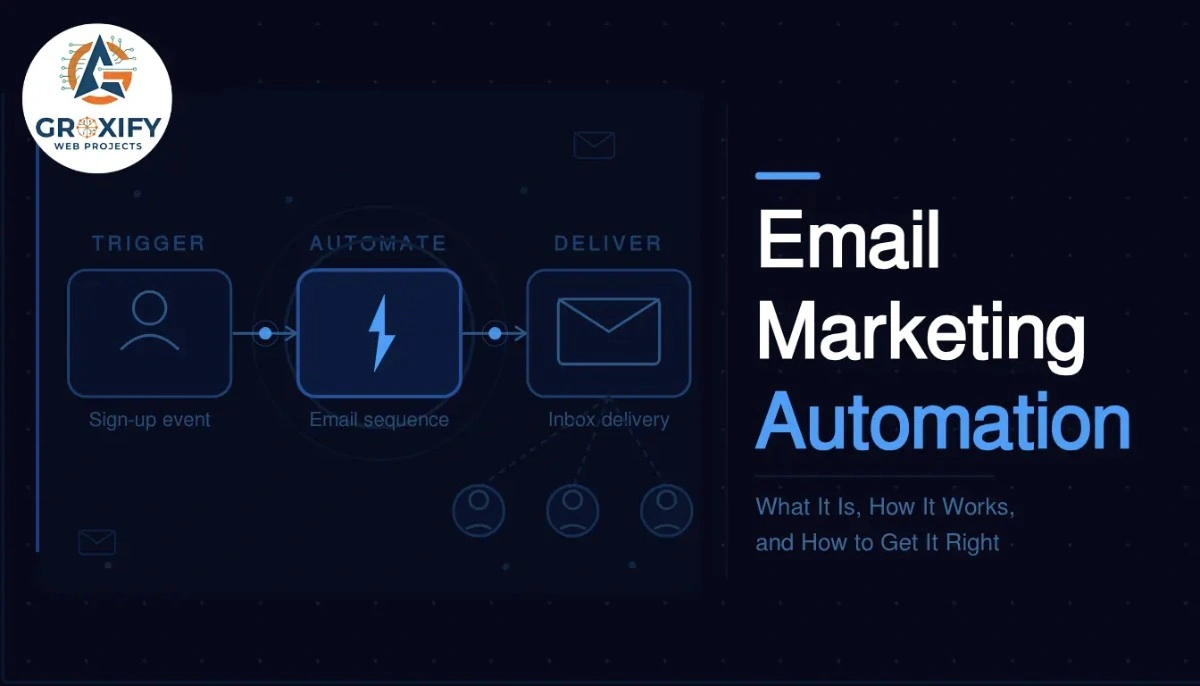
Email Marketing Automation: What It Is, How It Works, and How to Get It Right

You sign up for a free trial somewhere. Within two minutes, you get a welcome email. The next day, a tips email. Three days later, a case study that answers exactly what you were wondering. None of that was a person sitting at a desk hitting send. That is email marketing automation doing its job. This article covers what it actually is, how the whole system works behind the scenes, which tools run it, what AI is now changing, and what to set up first if you are starting from zero. No fluff. Just the full picture. What Is Email Marketing Automation Email marketing automation is a system that sends emails to your subscribers automatically, based on actions they take or time intervals you set. Instead of manually sending every email, you build the sequence once and the system handles delivery on its own. The key idea is triggers. A trigger is the action or condition that starts an email sending. Someone signs up for your newsletter, that is a trigger. They abandon a shopping cart, that is a trigger. They have not opened an email in 60 days, that is a trigger too. Once triggered, the system follows a workflow. A workflow is a pre-built path of emails and conditions. It decides which email goes out next, how long to wait, and sometimes which version to send based on what the subscriber did. The Three Moving Parts Every automation runs on three things: a trigger, a condition, and an action. The trigger is what starts it. The condition is the rule that shapes what happens, for example, “only send this if they clicked the last email.” The action is what actually goes out, usually an email, but it can also be a tag added to their profile or a notification sent to your team. Once you understand this, the whole thing stops feeling complicated. You are just setting rules. If this happens, do that. That is it. Why Businesses That Use This Do Not Go Back The obvious benefit is time saved. You set up a welcome series once, and every new subscriber gets it automatically. You never have to remember to send it. But the bigger reason people stick with automation is consistency. Manual sending is uneven. You send when you remember, when you have time, when the mood is right. Automation does not care about any of that. It sends at the exact right moment, every time. And here is something competitors rarely say out loud: automation catches revenue you would otherwise just miss. A person adds something to their cart and leaves. Without automation, that sale is gone. With a well-timed abandoned cart email, an email sent automatically when someone leaves without buying, a solid percentage of those people come back and complete the purchase. Businesses using automation consistently report better open rates and better conversions compared to one-off campaigns. Not because the writing is better. Because the timing is right. The Emails That Actually Get Automated You could technically automate anything, but most businesses start with a few high-value sequences. The welcome series is the most common. Someone subscribes and they get two to four emails over a week that introduce your brand, set expectations, and deliver something valuable. This is your first impression, and it runs automatically for every single new subscriber. Abandoned cart emails go out when someone adds items to a cart but does not complete the purchase. Sent within an hour of abandonment, they recover sales that would otherwise disappear. The first hour is when return rates are highest. Re-engagement sequences target subscribers who have gone cold, meaning they have not opened emails in a set number of weeks. A short series of two to three emails tries to bring them back. If they still do not respond, most setups remove them from the active list to keep delivery health strong. Post-purchase flows go out after someone buys. Think: order confirmation, then a tips email on using the product, then a review request. All automated, all timed to feel helpful rather than pushy. Birthday and anniversary emails are smaller but genuinely effective. If you collected a subscriber’s birthday, sending a personalized email with an offer on that day feels real. Subscribers respond because it does not feel like a mass broadcast. How Email Marketing Automation Actually Works Step by Step Most articles go vague here. Here is the actual process from scratch. The tool handles scheduling, delivery, and tracking automatically. Your job is to monitor and improve over time. Picking the Right Email Marketing Software The tool you pick matters more than most people think, because switching later is painful. Your workflows, contacts, and data all live inside it, and migrating everything takes real effort. Here is an honest comparison of the most common options: Tool Best For Starting Price Automation Depth Mailchimp Beginners, small lists Free up to 500 contacts Basic to intermediate ActiveCampaign Advanced automation, CRM built in Paid from around $15/month Deep and flexible ConvertKit Creators, bloggers, solopreneurs Free up to 1,000 subscribers Good visual workflows Klaviyo Ecommerce stores Free up to 250 contacts Strong for Shopify users Brevo Budget-conscious businesses Free up to 300 emails/day Solid for the price The honest take: Mailchimp is fine to start, but businesses that grow into serious automation usually outgrow it. ActiveCampaign costs more but handles complex logic much better. If you run an ecommerce store, Klaviyo connects deeply with platforms like Shopify and already understands your customers’ buying behavior without extra configuration. Pick based on where you are going, not just where you are now. That single decision saves a painful migration later. What Email Marketing AI Tools Are Actually Doing Now This is the section most articles either skip or get wrong. AI in email marketing is not just writing subject lines for you. It is changing how the whole system thinks. Traditional automation follows rules you set. If they clicked, send this. If they did not, wait.

Email Marketing Automation: What It Is, How It Works, and How to Get It Right Read More »

Scroll to Top