GROXIFY WEB PROJECTS LLP

Growth Focus
  • Helping Businesses Grow Worldwide — SEO Services That Drive Visibility,     High-Performance Website Development,     PPC Marketing for Better Reach,     Digital Marketing Built for Growth,     Social Media That Builds Your Brand,     Smart Solutions. Real Business Growth.

May 2026

types of content marketing

Types of Content Marketing That Actually Drive Traffic (And Which One to Start With)

Most people searching this topic end up with a long list and zero clarity. Fifteen types of content marketing, a definition for each, and then nothing telling you which one actually fits your situation. That is why people close the tab and start over. The types of content marketing are not complicated. What gets confusing is figuring out which one is worth your time, money, and effort right now. Not in general. For you. This article covers all the major types, what each one does well, what it does poorly, and how to decide where to start. Read through once and you will not need to open another article on this topic again. What Are the Types of Content Marketing? Content marketing is creating and sharing useful content to attract people to your business, instead of pushing ads at them. You give people something valuable, and they come to you. There are roughly ten main types: blog posts, video content, social media posts, email newsletters, infographics, podcasts, case studies, whitepapers, detailed guides, and user-generated content. Understanding the different content marketing types is not the hard part. Knowing which one deserves your time is. Each type reaches people differently, lives on different platforms, and requires different skills and budgets to produce consistently. The sections below break each one down clearly so you can make an actual decision by the end. Blog Posts and Written Content A blog post is a written article published on your website, usually targeting a topic or question your audience is already searching for on Google. Blogs are one of the most reliable ways to build consistent organic traffic, meaning visitors who come from search engines without you paying for ads. When someone types a question into Google, the results are mostly written articles. If your blog answers that question more clearly than the competition, it ranks. That ranking brings traffic. That traffic can convert into leads, subscribers, or sales. Results are slow. Expect three to six months before you see real movement. But a blog post that ranks keeps pulling in traffic for years without additional work. That compounding effect is what makes blogging worth the patience. What makes a blog post worth reading The best content marketing blogs are not the longest or the most polished. They are the most genuinely useful. A post that answers one specific question completely, in plain language, with zero padding, tends to outperform vague articles that technically cover the topic but say nothing useful. Write for the person reading, not for search engines. Ironically, search engines reward what readers love anyway. If you are a beginner, blogs are the lowest-barrier content type with one of the highest long-term payoffs. Start here. Video Content Video is the highest-engagement content format online right now. Most major platforms actively prioritize showing it to more people, which makes it one of the more accessible formats to get discovered through. There are two very different categories, and treating them as the same thing is a common mistake: Short-form video (under 60 to 90 seconds) on platforms like Instagram Reels or YouTube Shorts is built for discovery. People who have never heard of you can stumble onto your content. Results can come faster, but the audience is mostly browsing passively, and the jump from viewer to paying customer is longer. Long-form video (5 minutes and above) on YouTube functions more like a search engine. People type what they want to learn, find your video the same way they would find a blog post, and watch with genuine focus. The trust it builds is significant because the viewer sees your face and hears your voice consistently. The honest tradeoff: video takes far more time than writing. Factor in scripting, filming, and editing, and a single good video can take 8 to 12 hours. Only commit to it if you can do it on a consistent schedule. Social Media Content Social media content is anything you publish on platforms like Instagram, LinkedIn, X (formerly Twitter), Facebook, or Pinterest. This includes text posts, short videos, carousels (slideshows of images), polls, and stories. The biggest difference between social media and other content types is this: it lives on platforms you do not own. If Instagram changes its algorithm, meaning the system that decides who sees what, your reach can drop overnight without warning. That happens regularly and without notice. That said, social media is excellent for staying visible to people who already know you and for getting your content discovered and shared. It is also the fastest type to produce and test. The realistic expectation for organic social (posts you do not pay to promote) is that it works better as a support channel than a standalone one. Think of social media as the distribution layer for your other content, not the foundation. Email Marketing: The Most Underrated Type Email marketing means sending content directly to people who have signed up to receive it. This includes newsletters, educational email sequences, product updates, and promotional campaigns. Email is consistently one of the most effective content types, and the reason is simple: the person opted in. They are not scrolling past it. They opened it deliberately. That level of attention is genuinely rare compared to any other channel. An email list is also something you fully own. No algorithm change can wipe it out. No platform can take your subscribers away. That makes a strong email list one of the most valuable and durable content assets a business can build. The challenge is that you need traffic or an existing audience somewhere to get people to subscribe in the first place. Email marketing works best when it is connected to a blog, social presence, or any other channel bringing in new people. The two build each other over time. Infographics and Visual Content An infographic is a designed image that presents information, data, or a process in a way that is far easier to absorb visually than as written text.

Types of Content Marketing That Actually Drive Traffic (And Which One to Start With) Read More »
what is content marketing

What Is Content Marketing? A Clear, No-Fluff Guide for Beginners

You put up a website. Maybe you run ads. But somehow you keep hearing about content marketing like it is this big secret that brands use to grow without spending a fortune. And honestly, it kind of is. What is content marketing, really? It is the practice of creating useful, relevant content that attracts the right people to your business — and keeps them coming back. No hard selling. No interruptions. Just content that earns attention because it actually helps people. This guide covers everything from what it means to how it works to what a real strategy looks like. What Is Content Marketing, Actually? Content marketing is when a business creates and shares content — articles, videos, emails, social posts, guides — not to sell directly, but to build trust with the kind of people who might eventually buy from them. The key word there is useful. The content has to genuinely help, inform, or entertain. If it is just a soft ad dressed up as an article, people can tell. And they leave. A simple way to think about it: if someone finds your content through Google, reads it, learns something real, and remembers your brand because of it — that is content marketing working exactly as it should. It is not a campaign. It is not a one-time thing. It is a long-term approach to earning your audience’s attention instead of buying it. Why “Earned Attention” Matters Paid ads stop the moment you stop paying. Content, once it is out there and ranking, keeps working. A blog post you wrote this month can bring in visitors a year from now. A YouTube video can keep getting views for years. That compounding effect is what makes content marketing so valuable to businesses that play the long game. That said, it is not fast. Anyone promising quick wins from content marketing is either selling something or confused. It takes time to build trust. But once you do, the results are genuinely hard to replicate with ads alone. How Content Marketing Actually Works Here is the process, simplified. You figure out what your audience is searching for, struggling with, or trying to understand. Then you create content that answers those things better than anyone else. You publish it where your audience spends time. Over time, people find it, trust your brand, and when they are ready to buy — your name is already in their head. It sounds simple. And the concept is. The execution is where most businesses struggle. The Awareness to Action Journey Think of it in stages. Someone might first discover your brand through a helpful blog post they found on Google. That is the awareness stage — they did not know you existed before that search. Then they come back. Maybe they sign up for your newsletter. Read more articles. Watch a video. Each piece of content moves them a little further from “I just heard of this brand” to “I trust these people and I want to work with them.” That full journey — from stranger to customer — is what a well-built content marketing strategy is designed to guide. Content Marketing Examples That Actually Work Examples help here because the concept can feel abstract until you see it in practice. A software company writes a blog explaining the difference between two commonly confused tools in their industry. People searching for that comparison find the article, get a clear answer, and now associate the company with being helpful and knowledgeable. A fitness trainer posts short weekly videos answering questions her clients always ask. She never mentions her paid program in the videos. But viewers who find her useful start following her, and many eventually sign up. An accounting firm sends a monthly email with one practical tax tip. Not a sales pitch. Just something useful. When tax season comes, who do you think their subscribers call first? A small e-commerce brand creates a buying guide for their product category. Someone searching “which type of mattress is best for back pain” finds the guide, reads it, and buys from the brand because the guide was genuinely helpful — not because they were pushed. None of these are complicated. All of them work because they give something real to the audience without demanding anything in return right away. Content Marketing Strategy: What Goes Into One The word “strategy” gets thrown around a lot. In practice, a content marketing strategy is just a clear plan that answers a few questions. Who are you creating content for? Not “everyone.” A specific type of person with specific problems, questions, or goals. What do they need to know? What questions are they Googling? What are they trying to figure out before they buy something like what you offer? What format works best? Some audiences consume mostly short-form video. Others read long-form guides. Some prefer emails. You do not have to be everywhere — you have to be where your audience actually is. How will they find it? Organic search (SEO — getting found on Google without paying), social media, email, or some mix. This decides how you structure and distribute content. How do you know if it is working? Traffic to your content, time people spend on it, email sign-ups, leads, sales — pick the metrics that actually connect to your business goals. A content marketing strategy does not need to be a 30-page document. It needs to be clear enough that anyone on your team understands who you are creating for and why. What Makes a Strategy Fail Most content marketing efforts fail for one of three reasons. First, the content is too focused on the brand and not enough on the reader. Nobody wants to read about how great your company is. They want help with their problem. Second, businesses give up too early. Three months in, traffic is still low, and they decide it is not working. Content marketing typically takes six to twelve months to build

What Is Content Marketing? A Clear, No-Fluff Guide for Beginners Read More »

web designer near me

Web Designer Near Me: How to Find One Worth Hiring

Most people searching for a web designer near me are not actually looking for someone on a map. They want someone they can trust. Someone who picks up when something breaks. Someone who does not disappear after the payment goes through. That instinct is right. But the search itself can lead you the wrong way if you do not know what to look for. This article covers how to find a good web designer or web designing company, what questions to ask before hiring, red flags most people miss, and how to decide between a freelancer and an agency. By the end, you will know exactly what to do next. Does Location Actually Matter When You Search Web Designing Near Me? Honestly, less than most people assume. File sharing, video calls, and shared project tools have replaced the need to sit across a table. A designer in another city can deliver just as well as someone two streets away. But local does make sense in specific cases. If you prefer in-person meetings, want to pay offline, or are working on something where a local market understanding matters, proximity helps. Otherwise, skill beats geography every time. The better question is not where they are. It is what they have built before and how they work. What a Web Designing Company Does vs What Most People Think A web designing company does far more than make things look nice. That is probably the most common misconception out there. Good web design covers how your pages are structured so visitors actually stay, how fast each page loads (slow pages mean people leave before reading anything), whether your site works properly on phones (most of your visitors come from mobile), and whether Google can understand your site well enough to show it in search results. That last part is called SEO, which stands for search engine optimisation, meaning the process of making your site visible to Google. A freelancer might handle some of these. A company usually handles all of them. But coverage does not always mean quality, which is why evaluating their work matters so much before you sign anything. Freelancer vs Agency: Which One Should You Actually Hire? Neither is automatically better. It depends on what you need and what you can realistically spend. Freelancer Web Designing Company / Agency Cost Usually lower Higher, but more structured Communication Direct, often faster May go through an account manager Accountability One person handles everything Team with backup if someone is unavailable Timeline Depends on their current workload Usually follows a set process Best for Small sites, tight budgets Complex projects, ongoing support needs Here is the honest version: a freelancer with strong experience will outperform an agency that assigns a junior to your project. On the other side, if your business relies on the website running without interruption, an agency gives you more backup. One sick freelancer and your timeline slips by a week with no warning. Match the type of hire to the stakes of the project. How to Find a Web Designer Near Me That Is Actually Good Most people open Google, check the top three results, click whoever has the nicest website, and send an inquiry. That is the worst way to do this. Look at the Portfolio the Right Way Do not just check if the sites look good. Open them on your phone. Are they fast? Is there a clear button to call or contact? Do they feel built for a real business, or do they look like they were pulled from a template with a logo swapped in? A portfolio tells you what your website could look like. A slow or confusing site in someone’s portfolio tells you exactly what yours might become. Ask These Questions Before You Sign Anything The platform question is worth understanding. WordPress is a content management system, meaning you can update text and images yourself without any coding. Shopify is built specifically for online stores. Custom code is powerful but expensive to maintain without developer help. Know which one you are getting and why. Red Flags to Walk Away From One of these is enough reason to keep looking. What Good Web Designing Services Actually Include When someone gives you a quote for web designing services, check what is actually inside it. At minimum, a complete package should cover domain setup (registering your website address), hosting setup (the server where your site actually lives), a mobile-responsive design (works properly on all screen sizes), core pages with content placement, a working contact form, and basic on-page SEO. On-page SEO means page titles, meta descriptions (the short text lines you see under website names in Google results), and proper heading structure. These are all things Google uses to understand what your site is about. That should be standard. Anything extra, like logo design, content writing, or monthly SEO campaigns, gets quoted separately. If it is bundled in without explanation, ask exactly what each item includes. The Hidden Costs Nobody Tells You About This is what most competitor sites skip. And it is the part that causes the most frustration after hiring. Ask for a full cost breakdown covering the first two years, not just the design price. That one question saves a lot of unpleasant surprises. One Last Check Before Hiring a Web Designer Near Me Before any payment leaves your account, run through this quickly. That last one matters more than people realise. If the designer has built the site in a way that requires their help for every small edit, that dependency will cost you money indefinitely. Ask before you commit. A good designer or web designing company near me will answer every one of these without hesitation. Vague or evasive answers here become bigger problems later. At Groxify Web Projects, the conversation starts with what you actually need, not with what sounds impressive in a pitch. Choosing a web designer near me comes down to one thing Finding someone whose work

Web Designer Near Me: How to Find One Worth Hiring Read More »

web designing course

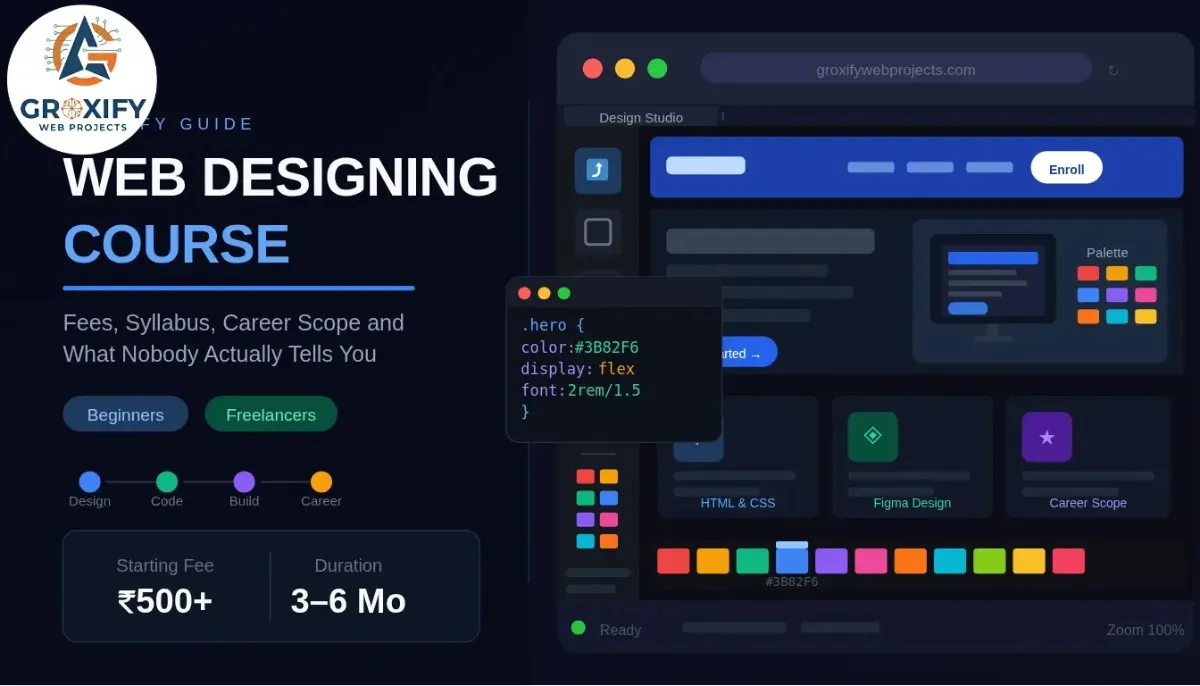
Web Designing Course: Fees, Syllabus, Career Scope and What Nobody Actually Tells You

Most people who land on an article about a web designing course are not really sure what they want yet. They just know they want a skill that pays, works from a laptop, and does not require a four-year degree to get started. That is a completely fair place to begin. This article covers the full picture — what you actually learn, how much it costs (including the free route, honestly), how long it takes, and what the career looks like after. By the end, you will know exactly what to pick and where to start. What Web Designing Actually Is (Most People Get This Wrong) Web designing is the process of deciding how a website looks, feels, and guides the people using it. That includes the layout, colors, fonts, spacing, button placement, and how all of it fits together on a screen. It is not the same as web development. Web development is the code that makes a site work behind the scenes — databases, server logic, user accounts. Web design is what you see and feel. Both matter. They are not the same job. A lot of beginners also confuse web design with graphic design. Graphic design is mostly for print — posters, logos, brochures. Web design is built for screens, and a screen behaves very differently from a poster. A website responds to clicks, resizes for different devices, and has to load fast. These constraints change how you design entirely. In practice, web designers work in tools like Figma (a software used to design and prototype websites before any code is written) and write HTML and CSS (the two basic languages that build what a person actually sees on a webpage). Some also know a bit of JavaScript, which adds interactive behavior like dropdowns and animations. You do not need to become a full developer to be a good web designer. But you do need to understand how a design becomes a real page. Web Designing Course Syllabus: What You Actually Learn A good web designing course does not start with code. That surprises people. It starts with fundamentals, because if you cannot explain why something looks right, you cannot design anything that holds together. Here is how a solid syllabus actually breaks down. Design Fundamentals This covers color theory (how colors relate, contrast, and create emotional response), typography (how to choose and pair fonts that are both readable and intentional), and layout principles (how to guide a viewer’s eye across a page without them noticing you’re doing it). Most courses also introduce UI and UX basics here. UI stands for User Interface — it is how the website looks and responds to interaction. UX stands for User Experience — it is how easy or frustrating the website is to actually use. These two overlap a lot in web design. Design Tools Figma is the industry standard right now. You will learn to create wireframes (rough, black-and-white sketches of a page’s structure), mockups (fully detailed visual designs), and prototypes (clickable demo versions of a design that feel like the real thing without any live code). Some courses also cover Adobe XD, but Figma has largely replaced it in most professional workflows. HTML and CSS HTML stands for HyperText Markup Language — it is the skeleton of every webpage, defining what is a heading, what is a paragraph, what is a button. CSS stands for Cascading Style Sheets — it controls how that skeleton looks, meaning all the colors, fonts, spacing, and positioning. Together, these two let you take a design from Figma and turn it into a real, working webpage. This is not optional in a serious web designing course. Even if you plan to use WordPress or a drag-and-drop builder later, knowing HTML and CSS means you can customize things, fix things, and not panic when something looks wrong. Responsive Design Responsive design means a website automatically adjusts to look right on any screen — phone, tablet, desktop. Since most web traffic comes from mobile devices, this is not a bonus topic. It is a core one. You will learn media queries (rules written in CSS that change a site’s layout at specific screen sizes) and the mobile-first approach, which means designing for the smallest screen first and scaling up. Additional Modules (Varies by Course) Depending on where you study, you might also cover: Ask specifically what is included before you pay. Vague syllabuses are a red flag. Web Designing Course Fees: Free vs Paid, What You Actually Get This is the section most articles either avoid or oversimplify. Here is the honest version. Free Web Design Courses Online Free options exist, and several are genuinely good. FreeCodeCamp, The Odin Project, and Google’s web development documentation are solid starting points for HTML, CSS, and design basics. YouTube has full courses from experienced designers that cost nothing at all. The real limitation is not quality. It is structure. Free courses have no schedule, no one checking your progress, no feedback on your actual work, and no path that moves you forward automatically. Many people start three free courses and finish none. A free web design course online works well if you are self-disciplined and can build things without someone pushing you. For most people, it is how they start and then get stuck. Paid Courses: What the Range Looks Like Format Approximate Fees Duration Best Suited For Online self-paced (Udemy, Coursera, etc.) Rs. 500 to Rs. 5,000 20 to 60 hours Flexible learners who want guided content Online course with mentorship Rs. 15,000 to Rs. 50,000 3 to 6 months Those who want feedback and career guidance Offline institute (classroom) Rs. 20,000 to Rs. 80,000 3 to 6 months Those who prefer face-to-face interaction Diploma or university program Rs. 50,000 to Rs. 2,00,000 1 to 2 years Those who want a formal credential Udemy and similar platforms regularly run sales where courses drop to Rs. 500 to Rs. 700. At that price, they are excellent value.

Web Designing Course: Fees, Syllabus, Career Scope and What Nobody Actually Tells You Read More »

how to create a portfolio website

How to Create a Portfolio Website That Actually Gets You Clients

Most portfolio websites look fine. Good fonts, nice layout, some project screenshots. And they sit there collecting dust while the person who made them wonders why nobody is reaching out. Knowing how to create a portfolio website is the easy part. Every platform will walk you through that. What nobody explains clearly is what makes one portfolio pull in client inquiries while another one does not. The design is rarely the issue. This article covers the full picture: what your portfolio actually needs to communicate, how to build it without overcomplicating it, what to show when you are just starting out, and how to know if it is doing its job. What a Portfolio Website Is Actually Supposed to Do A portfolio website is not a gallery. Yes, it shows your work. But what it is really doing is answering three questions a potential client has the second they land on it: Can this person do the work? Have they done something like what I need? Do I trust them enough to hand over my money? Most portfolios answer the first question okay. Very few answer all three. That is where the gap is. Your portfolio is a sales conversation that happens without you in the room. Every word, every project description, every page layout is either building trust or quietly losing it. Understanding that changes how you build the whole thing. How to Create a Portfolio Website Step by Step Pick a Platform That Matches Your Situation You do not need to code a portfolio from scratch. There are platforms that handle all the technical setup completely, and some are genuinely good. Platform Best For Cost Ease of Use Wix Beginners, creatives Free plan; paid from ~$17/month Very easy Squarespace Designers, photographers From ~$16/month Easy Webflow Designers who want design control Free plan; paid from ~$14/month Moderate WordPress.org Anyone wanting full ownership Hosting from ~$5/month Moderate GitHub Pages Developers only Free Requires coding Honest advice: if you are not a developer, Wix or Squarespace get you a clean, professional site fast. If you are a developer, build your portfolio yourself or use GitHub Pages. It becomes part of the portfolio. Decide What Pages You Actually Need Most portfolios have too many pages. Here is what actually works: Home — who you are, what you do, who you do it for. First impression, clear and fast. Work/Projects — your portfolio pieces with context, not just screenshots. About — your story and why a client should trust you. Contact — one goal: make it effortless to reach you. That is four pages. You can add a blog or services page later. Start lean. Write Your About Page Like a Human Most about pages read like a LinkedIn bio in the third person. “Passionate designer with five years of experience” tells nobody anything. Write to your client, not about yourself. What do you help people accomplish? What does working with you look like? What have you built that someone would care about? A real photo, a short honest paragraph, and one or two concrete numbers — projects completed, types of clients, years of experience — go further than any amount of adjectives. Add Your Work Even When You Are Just Starting Out This is where beginners freeze. No clients yet, so what do you show? You show concept work. Redesign a well-known brand as a personal project. Do a case study on a fictional brief. Help a local business for free or at a low rate to get one real project on record. One strong project explained well always beats ten screenshots without context. Every project needs three things: what the brief was, what you did, and what the result was. That story structure is what separates a portfolio from a gallery. Make It Easy to Contact You Contact forms buried two clicks away are conversion killers. A conversion (meaning the action you want a visitor to take, like sending an inquiry) only happens when you remove all friction from that path. Put your email or a contact form on every page, at minimum in the footer. If you take calls, add a scheduling link. The moment someone has to hunt for your contact details, most of them just leave. Portfolio Website Design Ideas That Actually Work Design does not need to be complicated to be effective. Here is what actually works in practice. The best portfolio website design ideas are the simplest ones. Personality in the copy, clarity in the layout, proof in the work section. Free Portfolio Website Options — What You Get and What You Don’t Free website plans are a real option, especially when you are starting out. But there are honest tradeoffs. Free Plan Paid Plan Custom domain (yourname.com) No (you get yourname.wixsite.com) Yes Ads on your site Often yes No Storage for images and files Limited More or unlimited Professional credibility Slightly weakened Full control Monthly cost Zero Typically $10 to $25 A free plan works fine for practice or your first draft. But if you are using this portfolio to attract paying clients, the platform subdomain quietly weakens trust. A custom domain costs around $10 to $15 a year. It is one of the smallest investments with one of the biggest credibility payoffs. The Mistakes That Kill Client Conversions on Portfolio Websites These almost never get talked about, but they show up constantly. Writing for yourself instead of your client. Your portfolio should speak to their problems, not document your personal taste. “I love minimalist design” is not a value proposition (a value proposition is a clear statement of what you offer and why it matters to the person hiring you). No clear next step. Someone looks at your work, they like it, they scroll to the bottom — and there is nothing telling them what to do next. Add a call to action (a direct prompt like “Let’s talk about your project”) at the end of every major page. Generic testimonials. “Great to

How to Create a Portfolio Website That Actually Gets You Clients Read More »

ecommerce website design

Ecommerce Website Design: Every Feature, Decision, and Mistake That Actually Matters

Most people building an online store spend weeks picking colors and fonts. Then they launch, get some traffic, and wonder why nobody is buying. The design looked fine. So what went wrong? Good ecommerce website design is not about looking pretty. It is about removing every reason a visitor might hesitate, doubt, or leave. Every decision, from your homepage layout to your checkout button color, either builds confidence or quietly kills it. This article covers the features that actually matter, the mistakes that cost you sales, how to choose the right builder or template, and what the best ecommerce sites consistently do that others miss. By the end, you will know exactly what to build and why. What Good Ecommerce Website Design Actually Means Design, in ecommerce, is not just how a website looks. It is how it works, how fast it loads, how easy it is to buy something, and how safe a visitor feels handing over their payment details. Think of it like a physical store. If it is messy, you leave. If you cannot find anything, you leave. If no one seems trustworthy, you leave. Ecommerce website design solves those same problems, just online. The goal is not to impress. The goal is to remove friction. Friction is anything that slows a visitor down or makes them second-guess a purchase. Every design choice either reduces friction or adds to it. That is the lens through which every decision in this article should be read. Must-Have Features Every Ecommerce Website Needs Some features are optional. These are not. If your store is missing any of them, you are leaving money on the table no matter how much you spend on ads or search rankings. A Homepage That Directs, Not Just Decorates Your homepage is not a brochure. It is a traffic director. A visitor lands there and needs to immediately understand three things: what you sell, who it is for, and what to do next. A strong hero section, which is the large visual banner at the very top of your page, with one clear call-to-action button does more than a homepage packed with sliders, popups, and animated elements competing for attention. Keep it focused. Direct people where they need to go. Product Pages That Do the Work of a Salesperson This is where most stores actually lose customers, not the homepage. A product page needs to answer every question a visitor has before they think to ask it. That means high-quality images from multiple angles, a description that addresses real purchase concerns (not just a list of specs), visible pricing, clear stock status, and an obvious “Add to Cart” button above the fold. Above the fold means visible on screen without scrolling. Reviews belong here too. User-generated reviews, meaning real feedback from actual buyers, build trust faster than any product copy you write yourself. Do not hide them at the bottom. A Checkout That Does Not Fight the Customer Cart abandonment rate is the percentage of shoppers who add something to their cart and then leave without completing the purchase. Research consistently puts this number around 70 percent. A complicated or confusing checkout is one of the biggest reasons. Keep checkout to as few steps as possible. Always offer guest checkout so people do not have to create an account before buying. Show a progress indicator so they know how close they are to done. Display security badges, which are SSL certificate icons and payment logos, clearly on the page. And never reveal unexpected shipping costs at the last step. That is one of the fastest ways to lose a sale. Site Search That Actually Works If your store has more than 20 products, search is not optional. A visitor who types something into your search bar is already motivated to buy. If your search returns irrelevant results or nothing at all, they go somewhere else. Good site search includes autocomplete, which means suggestions that appear as someone types, along with filters for category, price, size, color, or whatever fits your product range. This is basic functionality that pays for itself. Mobile Design Built First, Not Retrofitted More than half of all ecommerce traffic currently comes from mobile devices. If your site is designed for desktop and “also works on mobile,” that is not enough anymore. Buttons need to be large enough to tap accurately. Text must be readable without pinching and zooming. Images need to load quickly on mobile connections. Responsive design, which means your site automatically adjusts its layout to fit any screen size, is the minimum standard. The best stores think through the mobile experience separately rather than just shrinking the desktop version down. Ecommerce Website Builder vs Custom Design: Which One Do You Actually Need This is one of the first big decisions a new store owner faces and one where a lot of people overthink it. The honest answer is: most businesses do not need a custom-built site. Ecommerce website builder like Shopify, WooCommerce, Wix, and Squarespace cover the vast majority of what a small to medium store needs. They handle hosting (where your site’s files live and run online), security updates, payment processing integrations, and performance automatically. You focus on your products and customers, not servers and code. Here is a straightforward comparison: Builder (Shopify, Wix, etc.) Custom Development Starting cost Low to moderate monthly fee High upfront investment Time to launch Days to a few weeks Weeks to several months Technical skill needed Minimal High, or hire a developer Design flexibility Good enough for most stores Unlimited Ongoing maintenance Handled by the platform Your responsibility Best suited for Most businesses Enterprise or very specific needs Custom development makes sense when you need specific functionality that no builder supports, or when you are operating at a scale where monthly platform fees become more expensive than owning your own system. For most people reading this, a builder is the right and faster path. How to Choose Ecommerce Website Templates Without Wasting

Ecommerce Website Design: Every Feature, Decision, and Mistake That Actually Matters Read More »

Scroll to Top