Someone lands on a website. Within three seconds, they either stay or leave. They do not read the code behind it. They do not check which platform it runs on. They just feel it. And that feeling is web design at work.
Web design is the process of planning and creating everything a visitor sees and interacts with on a website. That includes the layout, colors, fonts, images, buttons, and how all of it fits together. This article covers what web design actually means, what its key elements are, how it differs from web development, and how to figure out what you actually need for your situation.
What Is Web Design and What Does It Actually Cover?
Web design is the discipline of creating the visual and functional experience of a website. It is not just about making things look nice. It is about making things work for the person using them.
Think of it like designing a physical shop. The way products are placed, how easy it is to find the billing counter, whether the lighting feels welcoming, all of that is design. A website works the same way. Every choice, from where a button sits to what color it is, shapes how a visitor feels and what they do next.
A well-designed website does not just look good. It helps visitors accomplish what they came to do, faster and with less friction. That is the whole game.
The Core Elements of Web Design
Knowing the name is one thing. Understanding what each element actually does in practice is where most explanations stop short. So here is each one, explained plainly.
Layout
Layout is how content is arranged on a page. It decides what a visitor sees first, what they notice second, and where their eye travels from there. A good layout creates a natural reading path without the visitor even noticing it is happening.
The most common approach is the grid system, where content is organized in columns and rows to keep things visually aligned. Bad layout makes a page feel cluttered or confusing. Good layout makes a page feel effortless.
Typography
Typography refers to fonts and how text is presented on screen. This includes font style, size, line spacing, and how headings differ from body text.
Typography affects readability more than most people expect. Text that is too small makes users squint. Too many different font styles make a page feel chaotic. A clean, consistent font system signals that the site is trustworthy and thought through.
Color
Color is not decoration. It is communication. Colors create mood, guide attention, and carry meaning. Red can suggest urgency. Blue tends to signal trust. Green often connects to health or growth.
Web designers build a color palette, meaning a set of two to four colors that work together consistently across the entire site. A good palette is accessible (readable by people with color vision differences) and aligned with what the brand is actually trying to communicate.
Images and Visual Content
Images, icons, illustrations, and videos are all part of web design. They break up text, show what words cannot, and often create the first emotional response a visitor has before they read a single sentence.
The choice of visuals matters a lot. Generic stock photos make a site feel hollow. Real, specific imagery makes it feel genuine. Icons and illustrations, when done well, make navigation faster and more intuitive.
Navigation
Navigation is how users move through a website. This includes the main menu, footer links, breadcrumbs (those small trails showing where a user is on the site, like Home > Blog > Article), and call-to-action buttons.
Poor navigation is the fastest way to lose a visitor. If someone cannot find what they need in a few clicks, they leave. Good navigation is simple, predictable, and consistent across every single page.
White Space
White space, also called negative space, is the intentional empty area between elements on a page. It sounds minor. It is not.
Crowded pages feel stressful to look at. Pages with breathing room feel premium and easy to read. White space is part of why certain well-known tech websites feel expensive before you even read what they are selling.
Types of Web Design
Not all websites are built using the same approach. The type of design used depends on the site’s purpose, its audience, and the devices it needs to work on.
Responsive Web Design
Responsive design means the website automatically adjusts its layout based on the screen size being used. On a desktop it might show three columns. On a phone, it stacks into one. The layout responds to the device.
This is the most widely used approach currently because the majority of web traffic comes from mobile devices. A site that is not responsive will look broken on phones and will also rank lower in Google search results.
Adaptive Web Design
Adaptive design creates separate, fixed layouts for specific screen sizes. Instead of one layout that stretches and shrinks fluidly, there are multiple versions, and the site detects which one to show the visitor.
It gives designers more precise control, but requires significantly more design and development work. Responsive design is the standard for most websites. Adaptive design is used in specific cases where that extra control genuinely matters.
Static Web Design
A static website has fixed pages. The content does not change unless someone manually goes in and updates the files. These sites are fast, simple, and work well for portfolios, landing pages, or small informational sites.
Dynamic Web Design
A dynamic website pulls content from a database and can show different things to different users or update automatically. E-commerce stores, news websites, and any platform with user accounts are dynamic. The design interacts with live data to create a constantly changing experience.
What Does a Web Designer Actually Do Day to Day?
Most explanations of web design skip this entirely. Here is what the actual work looks like.
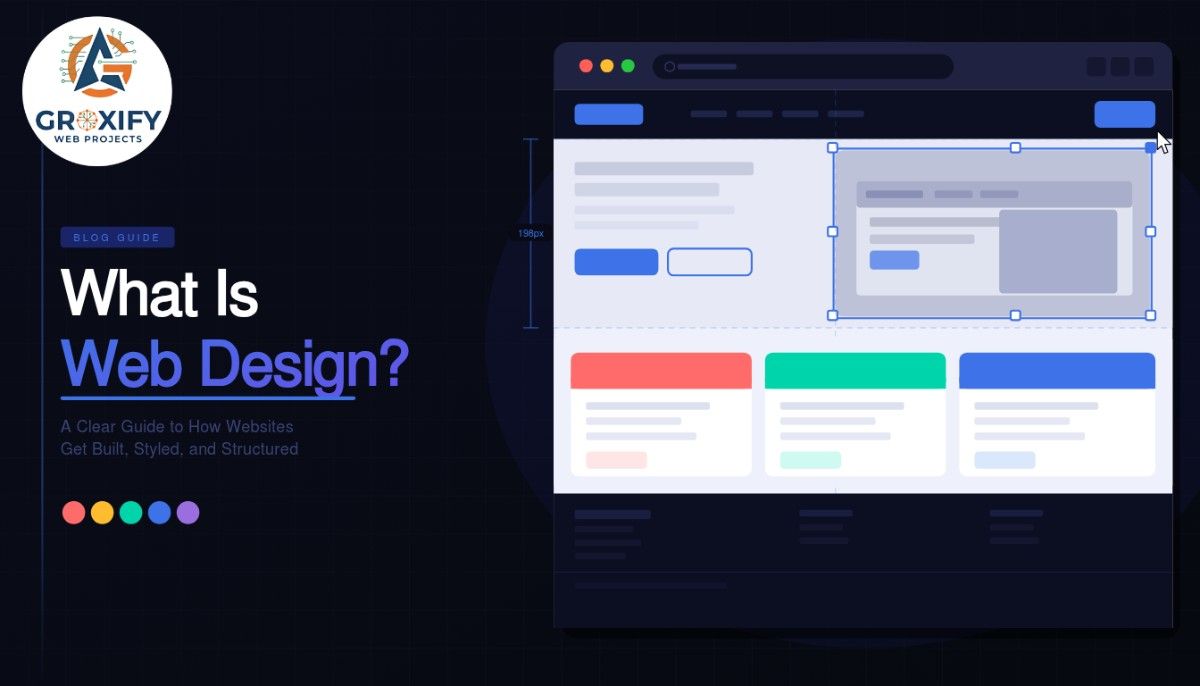
A web designer typically starts with research. They study who the audience is, what the site needs to accomplish, and what comparable sites in the space look like. Then they build wireframes, which are basic skeletal layouts that map out the structure of a page without any color, imagery, or final visuals.
From wireframes, they move to mockups, which are high-fidelity visual designs showing exactly what the finished site will look like. Tools like Figma or Adobe XD are the most commonly used for this work.
Once a design is approved, it gets handed to a developer to build out in code, or the designer builds it directly inside a platform like WordPress or Webflow.
Throughout all of this, a designer thinks constantly about UX, which stands for user experience, meaning how easy, intuitive, and enjoyable it is to actually use the site. Great visual design with poor UX is still a bad website. That balance is the real skill.
What Is Web Design Used For? Real Examples Across Industries
Web design is not something only tech companies need. Every kind of business or creator uses it, and the goals are always specific.
A restaurant uses web design to build atmosphere, display the menu clearly, and make it simple to book a table. A freelancer uses it to show their portfolio and make potential clients feel confident before reaching out. An e-commerce store uses it to reduce the friction between someone browsing and someone actually buying. A hospital uses it to help patients find critical information quickly and without added stress.
In every case, the job of the design is the same. Get the visitor what they need, as fast and easily as possible, in a way that matches how the brand wants to be seen.
Good web design is invisible when it is working. Visitors do not notice it. They just do what they came to do.
What Is Web Design vs Web Development? The Difference Explained
This is the question that causes the most confusion, so it is worth being direct about it.
Web design is about the experience, the look, the feel, and the structure. Web development is about building the actual system that makes it work. A developer writes the code. A designer decides what the user sees and how they interact with it.
| Web Design | Web Development | |
|---|---|---|
| Focus | Visuals, layout, user experience | Code, functionality, databases |
| Tools Used | Figma, Adobe XD, Canva | HTML, CSS, JavaScript, PHP |
| Output | Design files, prototypes | Working website, applications |
| Core Skill | Visual thinking, UX understanding | Programming, logic, problem-solving |
In practice, many professionals learn both. But they are genuinely different skills. A great designer is not automatically a great developer, and vice versa. Understanding this distinction saves a lot of frustration when hiring or learning.
When Should You Learn It, Hire Someone, or Use a Builder?
This is the question most people are actually trying to answer when they first look up what web design is. The honest answer depends on where you are right now.
If you are a business owner with a clear product or service and no interest in design as a skill, hire a professional. Good design builds trust faster than almost any other investment. It has a measurable impact on how visitors perceive you and whether they take action.
If you are a freelancer or creative who wants to build your own site, a website builder like Squarespace, Wix, or WordPress with a quality template will get you most of the way there. You do not need to understand design deeply to use these tools well and get a solid result.
If you want to make web design a career, start with UX fundamentals, learn Figma, and build practice projects from scratch. A strong portfolio matters more in this field than any certification. In recent years, no-code and low-code platforms have also opened up new paths for designers who want to build without writing code.
Groxify Web Projects has worked across all three scenarios. The approach that consistently fails is spending months researching while waiting for the perfect conditions. Pick a path and start.
What Separates Good Web Design from Bad?
Aesthetics are subjective. Usability is not.
Bad web design has consistent patterns. Pages take too long to load. Text is hard to read because of poor color contrast. Buttons are not obvious. On mobile, users have to zoom in or scroll sideways just to read content. Visitors do not know what to do next.
Good web design avoids all of that. But more than that, it earns trust quickly. Within a few seconds of landing on a well-designed site, a visitor feels comfortable enough to keep reading or take the next step. That trust is built through consistency, clarity, and the sense that someone genuinely thought through this experience for them.
Pretty does not equal good. Fast, clear, and easy to use equals good. The best web design combines both.
Web design is the work that shapes what people see, feel, and do on a website. It covers layout, color, typography, navigation, imagery, and how all of it holds together across every screen size. The goal is never decoration. It is always to help the visitor do what they came to do, as easily as possible.
If there is one thing worth taking from this, it is that design serves the visitor first and the brand second. Sites that get this right do not just look polished. They actually work. That is what web design, done well, is about. If you are building or redesigning a site, start with the user and work backward from there.
FAQ
Web design is the process of creating everything a visitor sees and interacts with on a website. It covers layout, colors, fonts, images, and navigation. The goal is to make the site easy to use, visually clear, and effective for the business or individual it represents.
Web design focuses on the visual experience and structure of a site. Web development focuses on writing the code that makes it work. Designers plan and style. Developers build and program. Many professionals learn both skills, but they are separate disciplines with different tools and ways of thinking.
Not necessarily. Many web designers work only in tools like Figma and hand off files to developers. However, knowing basic HTML and CSS makes you more effective and easier to collaborate with. In recent years, no-code platforms have made it possible to design and publish professional sites without writing a single line of code.
Responsive web design means the website automatically adjusts its layout based on the screen size being used. On a desktop it shows one version. On a phone it adapts to fit. It matters because most users browse on mobile, and a site that does not adapt properly will lose visitors and rank lower on Google.
UX, or user experience design, focuses on how logical and enjoyable a website is to use. Web design includes UX but also covers visual style, branding, and aesthetics. UX is about the structure and flow. Web design brings that structure to life visually. In practice, the two overlap heavily and most web designers work across both.
It varies significantly. A website builder costs very little per month and works for basic needs. A freelance designer typically charges a few hundred to several thousand dollars depending on scope. An agency charges more. Cost reflects the level of customization, strategy, and experience involved. Knowing what you need before getting quotes saves time and money.
A well-designed website loads quickly, is easy to read on any device, uses clear navigation, and tells visitors what to do next without confusion. It builds trust within a few seconds of landing. It does not have to be flashy. It needs to be fast, clear, and built with the visitor’s needs in mind first.
If your needs are standard and your budget is limited, a builder like Squarespace or WordPress with a template works well and gets you most of the way there. If you need something custom, conversion-focused, or tightly aligned with a specific brand, hiring a professional designer is worth the investment. Most businesses start with a builder and upgrade later.
The most commonly used tools currently include Figma for designing and prototyping layouts, Adobe XD as an alternative, and Canva for lighter visual work. For building finished sites, designers often work in WordPress, Webflow, or Squarespace. Developers on the project handle code using HTML, CSS, JavaScript, and various backend frameworks.
You can learn the core concepts in a few months of consistent practice. Getting skilled enough to take on real projects typically takes six months to a year. Becoming genuinely confident takes longer and comes from doing actual work, getting feedback, and studying websites that perform well. There is no fixed timeline. Consistent practice is the only real shortcut.

Rohit Singh is the Founder of GROXIFY WEB PROJECTS LLP with many years of hands-on experience in digital marketing, including SEO, PPC, social media, email marketing, content writing, and WordPress development. He has worked with global clients across industries and helped businesses achieve 5x–10x revenue growth through data-driven strategies and practical execution. Rohit actively manages digital teams, builds business strategies, plans marketing systems, and oversees execution to drive consistent traffic, leads, and long-term business growth.